
Into The Hive Armor Rolls, Storage and Appearance
Last updated:
Roll armor in the lobby to obtain sets with different bonuses, then manage your collection and customize its appearance.
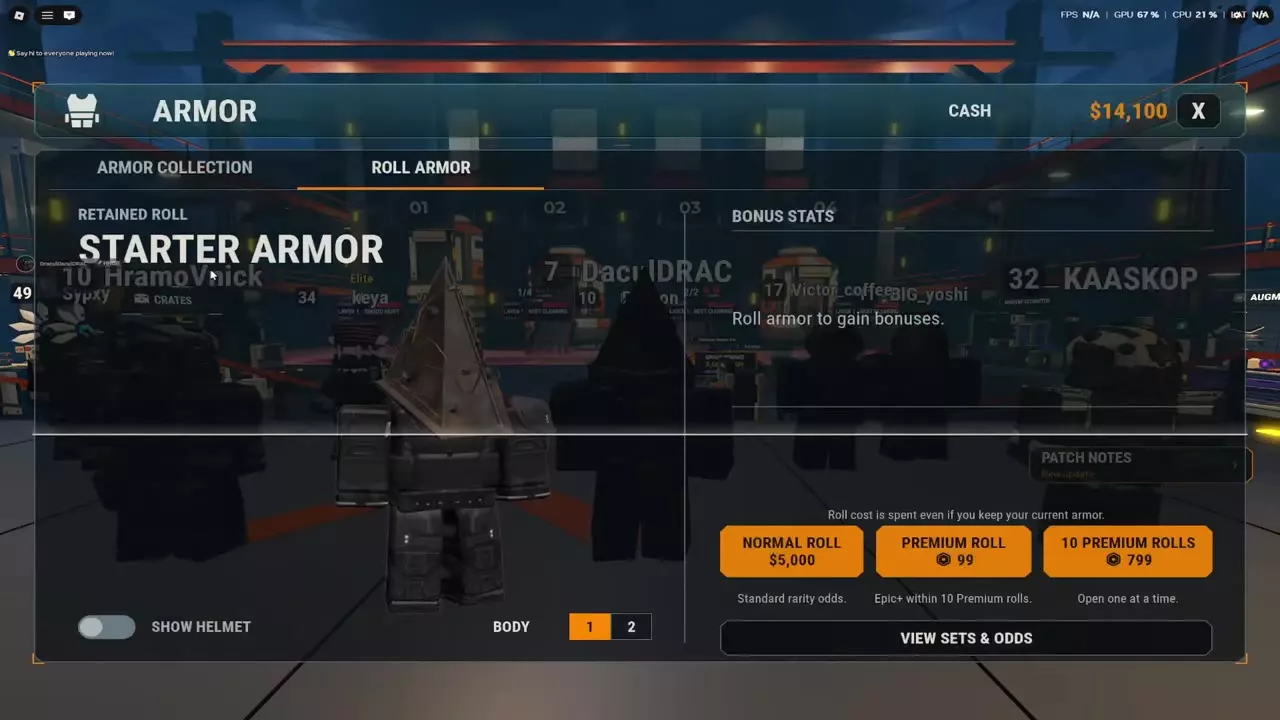
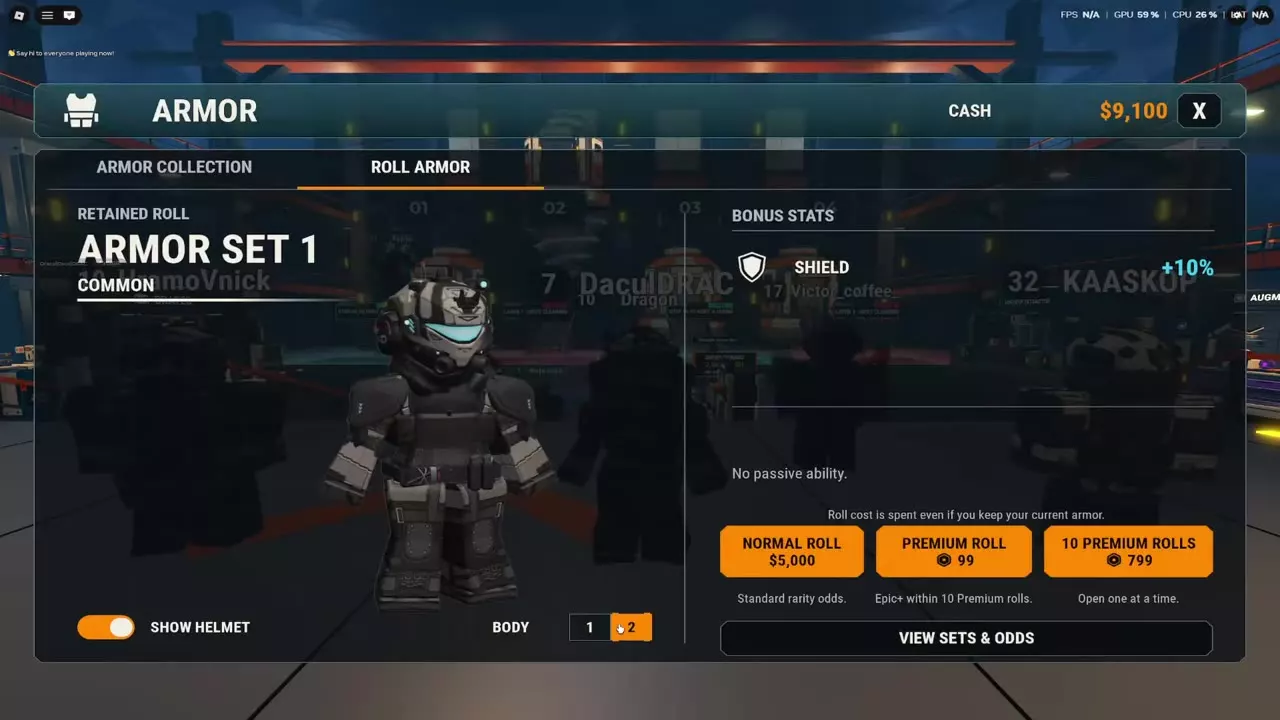
Open Armor and select Roll Armor. Normal rolls cost 5,000 Cash, while Premium rolls cost 99 Robux each or 799 Robux for ten. You can store three rolled sets, buy a fourth slot, and switch sets at the Armor station. Duplicate sets award Cash. Use Show Helmet and Body Type to adjust your appearance.
Armor roll costs
| Roll option | Cost | Feature |
|---|---|---|
| Normal Roll | 5,000 Cash | Standard rarity odds |
| Premium Roll | 99 Robux | Epic+ within 10 rolls |
| 10 Premium Rolls | 799 Robux | Opened individually |
Premium rolls guarantee an Epic or higher set within 10 Premium rolls. The ten-roll option opens each result individually. The roll cost is spent even if you keep your current armor. Normal Roll is unavailable when you have less than 5,000 Cash.
Roll and inspect a set
- Open Armor from the lobby menu or Armor station and select Roll Armor.
- Choose Normal Roll, Premium Roll, or 10 Premium Rolls and pay the displayed cost.
- Inspect the result's rarity, Bonus Stats, and passive ability. Sets have different bonuses, and some have passive abilities.
Select View Sets & Odds on the roll screen to see the sets and their probabilities.
Store and switch rolled armor
Since the November 14, 2026 update, you can store three rolled armor sets and buy a fourth slot. Open Armor Collection at the Armor station to view your Rolled Armor and permanently unlocked Special Armors, and switch between your stored rolled sets at the station.
Rolls give a set you do not own when possible; duplicate sets award Cash.
Before the storage update, the comparison screen held one rolled set. Keep Current discarded the new result, while Equip New replaced the retained set and equipped the new one. Unlocked Special Armors remained unlocked.
Helmet visibility and body type
Open Armor in the lobby. Turn Show Helmet off to hide your helmet or on to display it. Select Body Type 1 or 2 to change the armor's body appearance; the character preview reflects your selection.
Armor bonuses and acquisition
Compare armor sets and bonuses to choose the stats and passives that suit your loadout. For other ways to obtain armor, see game passes and permanent benefits and seven-day login rewards.