
Into The Hive Demolition equipment: Pickaxe, Drill and C4
Last updated:
Choose a Demolition tool for mining, opening cave passages or fighting bugs. Pickaxe, handheld Drill and C4 share one equipment slot, so choose around the job you need it to do.
Equip Pickaxe, Drill or C4 through Loadout > Demolition; the default mission key is 1. Drill moved from Utility in the November 14, 2026 update. Choose Pickaxe for mining, controlled digging and close-range strikes, or Drill for handheld excavation. C4 is strongest against bugs among the three tools, but slowest through dirt.
The Demolition slot
- Open Loadout in the lobby and select Demolition.
- Choose Pickaxe, Drill or C4 for the slot.
- During a mission, press 1 under the default hotbar layout to select your tool.
If you rearrange the hotbar through Settings > Controls, use the key assigned to the tool's new slot.
The handheld Drill moved from Utility to Demolition in the November 14, 2026 update. Look for it alongside Pickaxe and C4 when preparing your loadout. All three tools support equipment levels, Mastery and Demolition Augments.
Demolition tool directory
Choose for the work ahead: excavation and close-range strikes, handheld drilling, or sticky explosions.
Compare excavation and combat uses of Demolition tools.
3 objects
|
|
Pickaxe | Mining and terrain excavation | — | ||||||||
|---|---|---|---|---|---|---|---|---|---|---|---|
|
An excavation tool used to mine ore and break cave terrain. It also strikes bugs and nests at close range.
TipsDig toward the objective marker when rock blocks the route. Switch to a combat weapon after opening a passage with bugs beyond it; during extraction, keep moving toward the pod. |
|||||||||||
|
|
Handheld drill | Terrain excavation | 1 slot Mastery 1 | ||||||||
|
A handheld excavation tool equipped in the Demolition slot.
TipsSelect the handheld Drill in Loadout's Demolition slot. It moved from Utility in the November 14, 2026 update and now supports equipment levels as well as Mastery. |
|||||||||||
|
|
Sticky explosive | Bug-focused demolition | — | ||||||||
|
A thrown demolition charge that sticks to rock or bugs and explodes after a one-second delay.
TipsChoose C4 when bug damage is the priority: it is strongest against bugs among the three Demolition tools and slowest through dirt. Throw it onto rock or a bug for a sticky charge that explodes one second later. |
|||||||||||
Digging and Pickaxe attacks
Break a wall and open a passage
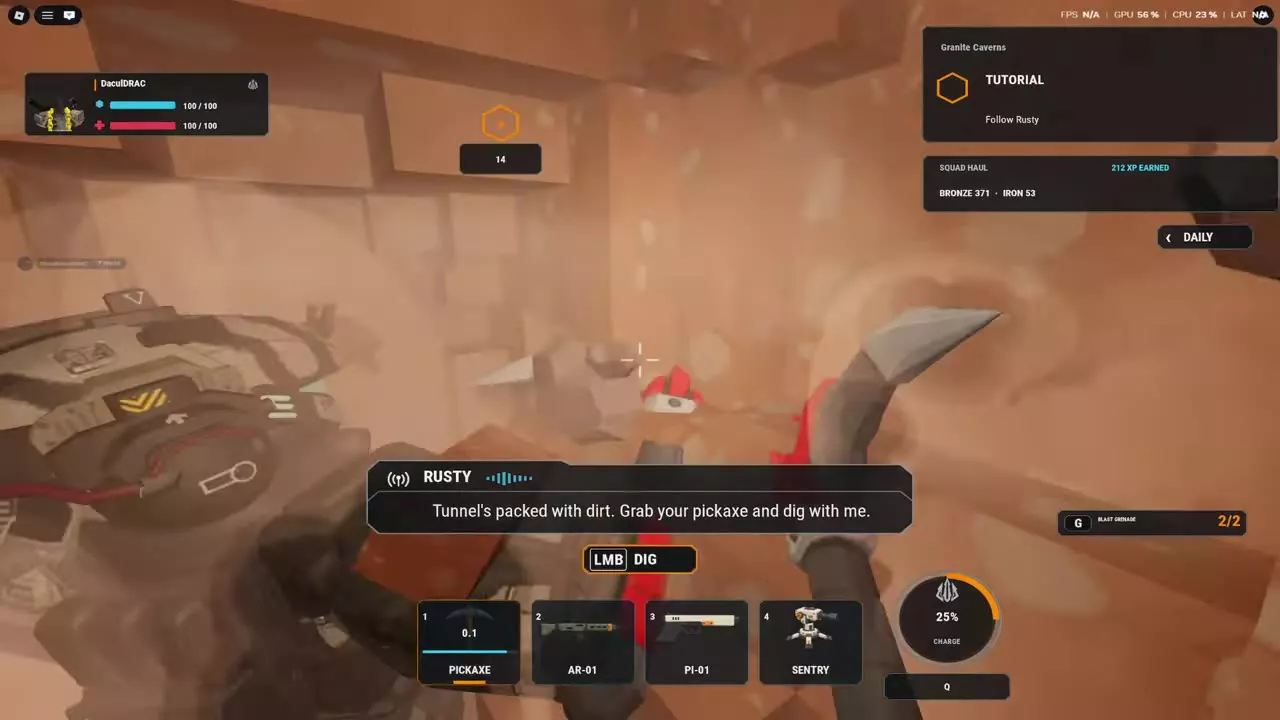
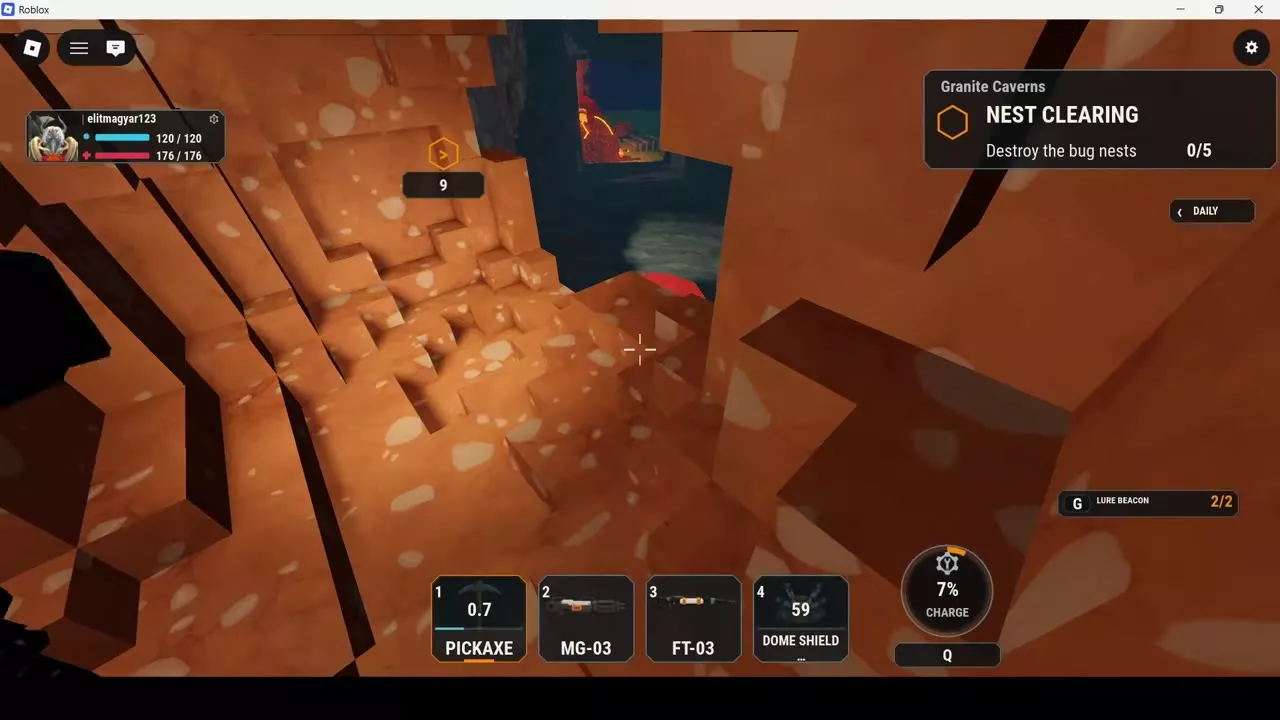
- Equip Pickaxe and face the dirt or rock blocking your route.
- Use the left mouse button to strike repeatedly until an opening forms.
- Continue digging into the opening to make a passage, then follow the route arrows or objective marker through it.
Aim upward to strike rock in the cave ceiling. After a strike, the Pickaxe's hotbar slot briefly displays a recovery countdown.
When bugs are beyond the wall, open the passage first, then switch to a combat weapon to fight them. During extraction, dig toward the pod marker and keep advancing through the opening.
Attack bugs and nests
Pickaxe also works at close range against bugs, including Brute. Move within striking distance and swing at the target; successful Brute hits produce damage numbers and reduce its health.
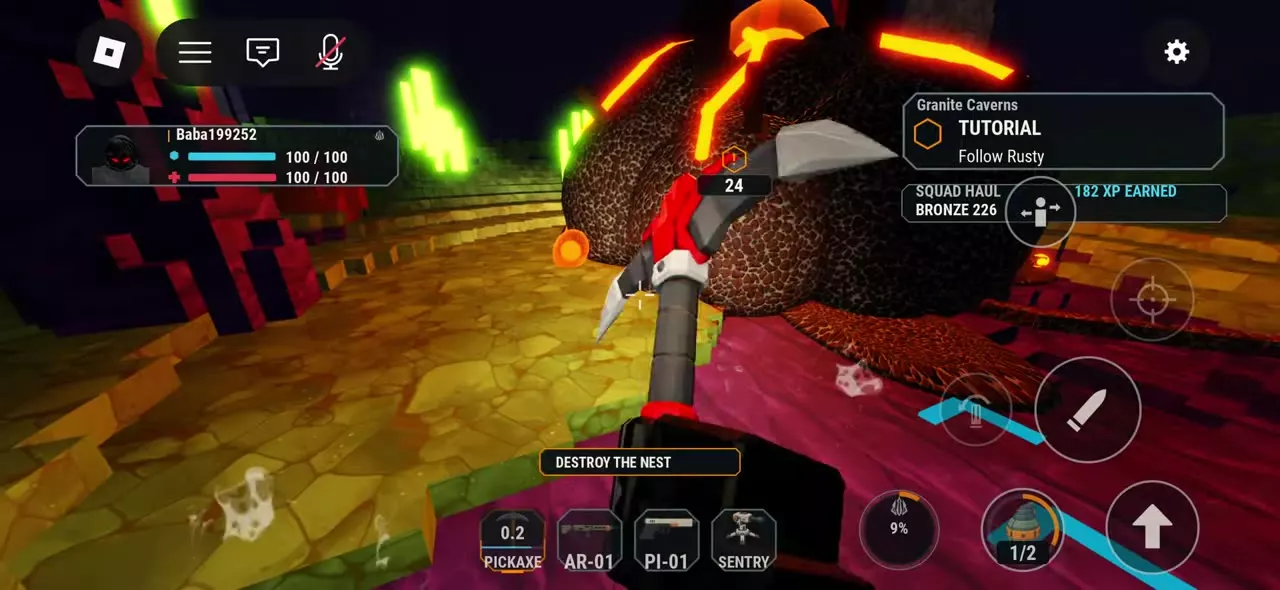
To destroy a nest with Pickaxe, approach it and keep striking until it breaks and NEST DESTROYED appears. Pickaxe can also break ore deposits.
C4 and tool choices
Use C4
Select C4 from your Demolition slot and throw it onto rock or a bug. The charge sticks to the target and explodes one second after attaching.
Choose for excavation or combat
- Pickaxe: Choose it for direct control over mining and removing terrain with repeated strikes. It also provides close-range attacks against bugs and nests.
- Drill: Choose it as the handheld excavation alternative in the same slot.
- C4: Choose it when bug damage takes priority. It is the strongest of the three Demolition tools against bugs and the slowest through dirt.
For a loadout focused on opening routes through dirt, take Pickaxe or Drill.
Mining and equipment progression
- Ores and shared mining haul: Identify deposits, find their environments and understand shared collection.
- Equipment upgrades, Mastery and Augment slots: Follow the resource-upgrade and Mastery progression paths.
- Augment traits: Compare trait effects and equipment compatibility when configuring your loadout.