Into The Hive Multiplayer Guide: Squads, Solo Play and Revives
Last updated:
Into The Hive supports expeditions for one to four players. Use the Pod Bay to host a squad, join other players or launch on your own.
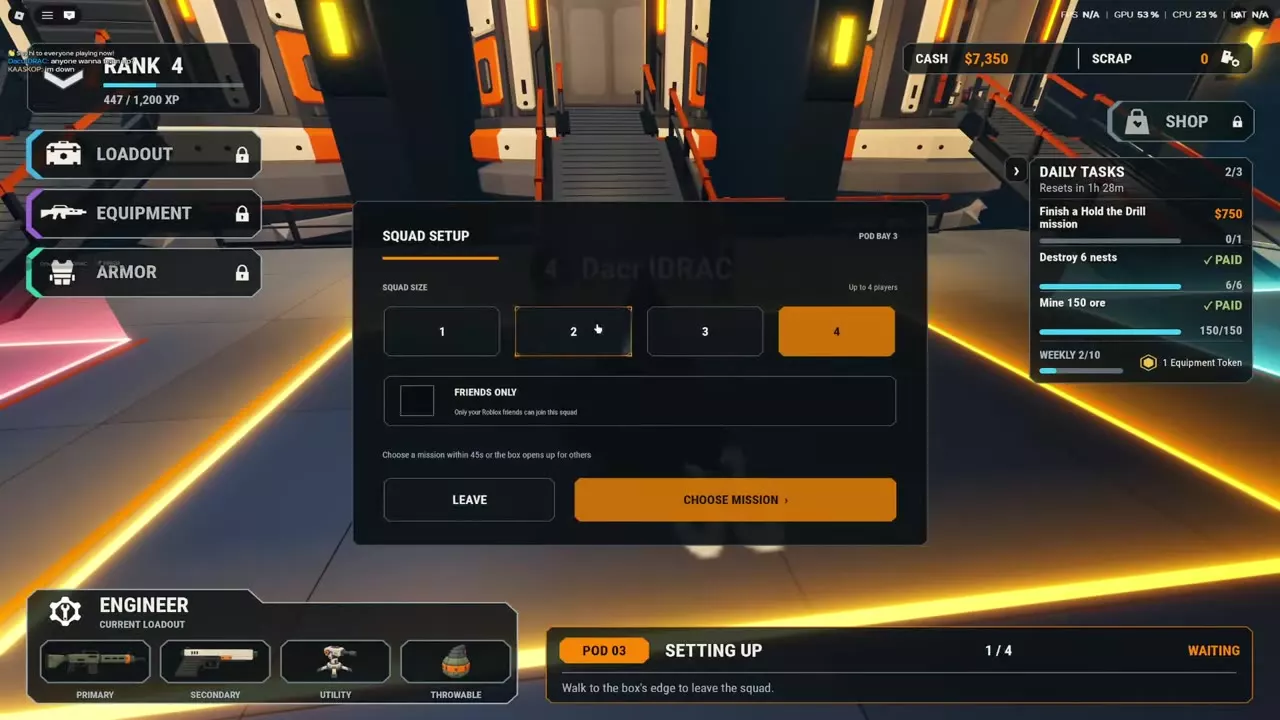
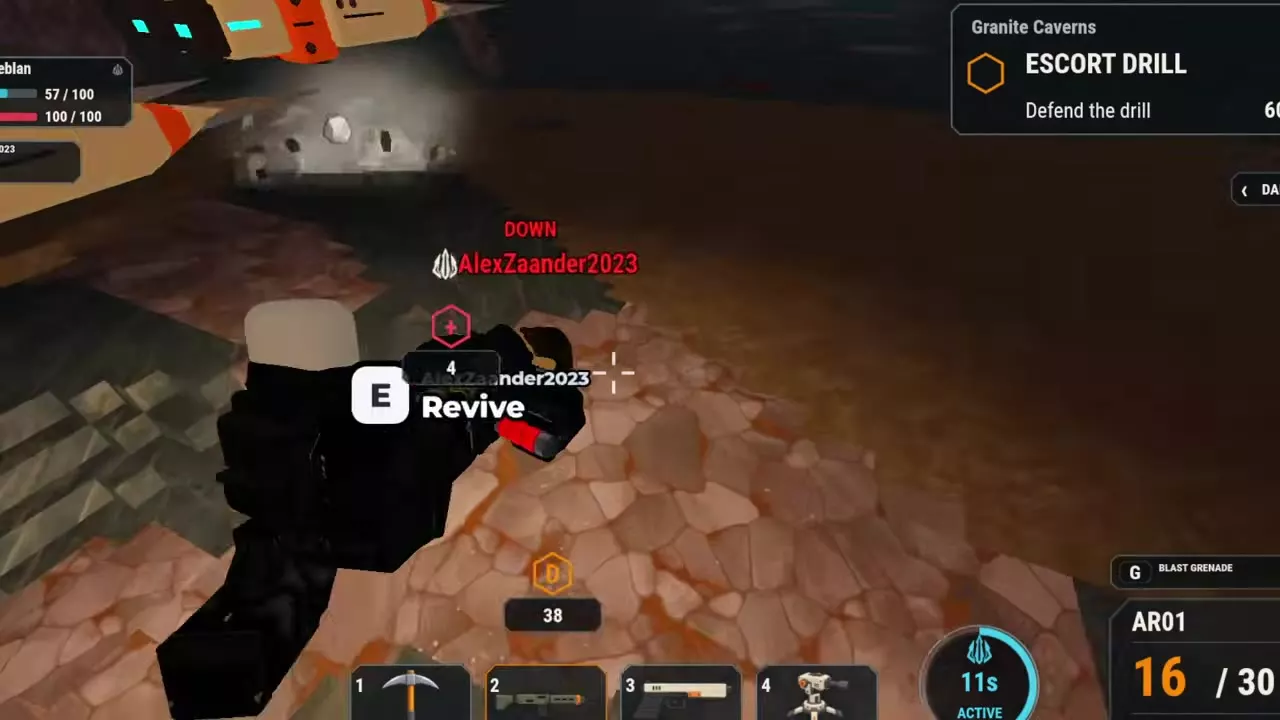
Enter an open Pod Bay, choose a squad size and mission, and enable Friends Only if you want to play with Roblox friends. To revive a teammate, approach them and use the E — Revive prompt.
Prepare a 1–4 player squad
Finish your equipment setup before entering a Pod Bay queue. Loadout, Equipment, Armor and Shop are locked while you wait.
Find an empty bay marked Step in to host a squad. Its marked floor area opens Squad Setup when you enter.
Host a squad or launch solo
- Enter an empty Pod Bay and choose 1, 2, 3 or 4 under Squad Size. Choose 1 to play solo.
- Enable Friends Only if you want to restrict joining to your Roblox friends.
- Select Choose Mission, pick a mission and an available difficulty, then confirm with Select Mission within 45 seconds. If no mission is chosen in that time, the bay opens to other players.
- Remain in the bay through the departure countdown, enter the pod and wait for the doors to close and the mission to load.
You can select Insane for a solo run when that difficulty is available. For a specific completed setup, see the solo Layer 1 Insane Nest Clearing loadout.
Join, leave and switch squads
Read the Pod Bay sign for the mission, player count, access setting and status. Walk into the green marked area of a squad showing Open · Join to join it.
To leave, walk to the edge of the marked area and choose Leave in the Leave Squad prompt. Choose Stay to remain. After leaving, enter another open squad's area to switch squads.
If you are the squad leader, leaving clears the squad for everyone in that bay. If the status says Waiting, remain with the squad for boarding and the loading transition.
Revive a downed teammate
- Find the teammate identified by the Teammate Down alert or the Down status in the squad panel.
- Approach until E — Revive appears, then use the interaction.
- Follow the revive progress in the squad panel and confirm the teammate stands up before moving on.
During the return to the drill pod, the extraction countdown continues while you rescue a teammate.
Friend rewards and extraction
When you play with a Roblox friend who has a mission unlocked, you can earn its applicable first-clear and weekly bonuses up to one layer beyond your own progression. For example, a player at Layer 1 qualifies for those bonuses on a friend's Layer 2 mission.
Complete the objectives and extract to receive the applicable rewards. See mission payouts and bonuses for reward details and how to extract for the return to the pod.