
How to equip, extract and reroll Augments in Into The Hive
Last updated:
Install Augments on compatible equipment, move useful ones to a new item, and turn unwanted Augments into Scrap for rerolls.
Open Equipment > Augments, select a compatible Augment, choose Install, then select the equipment and an available slot. Extract Common through Epic Augments for free; Legendary Augments require an Extractor. Rerolls cost Scrap even when you keep the old result. You can lock up to two traits, which raises the fee. Dismantle unwanted Augments to obtain Scrap.
Compatible equipment and available slots
You need an Augment that matches the equipment category and an available slot on the target item. Select the matching category in the Augments inventory, such as Weapon, Utility or Throwable.
There are two ways to begin:
- Open Equipment > Augments to select an Augment first.
- Open an equipment item's details and choose Install Augment in an available slot to browse stored Augments for that category.
Locked slots require that item's Mastery, which is separate from its equipment level. On AR-01, Slot 1 is available at Mastery 1, Slot 2 unlocks at Mastery 4, and Slot 3 unlocks at Mastery 8. Buying equipment levels does not fulfill those Mastery requirements.
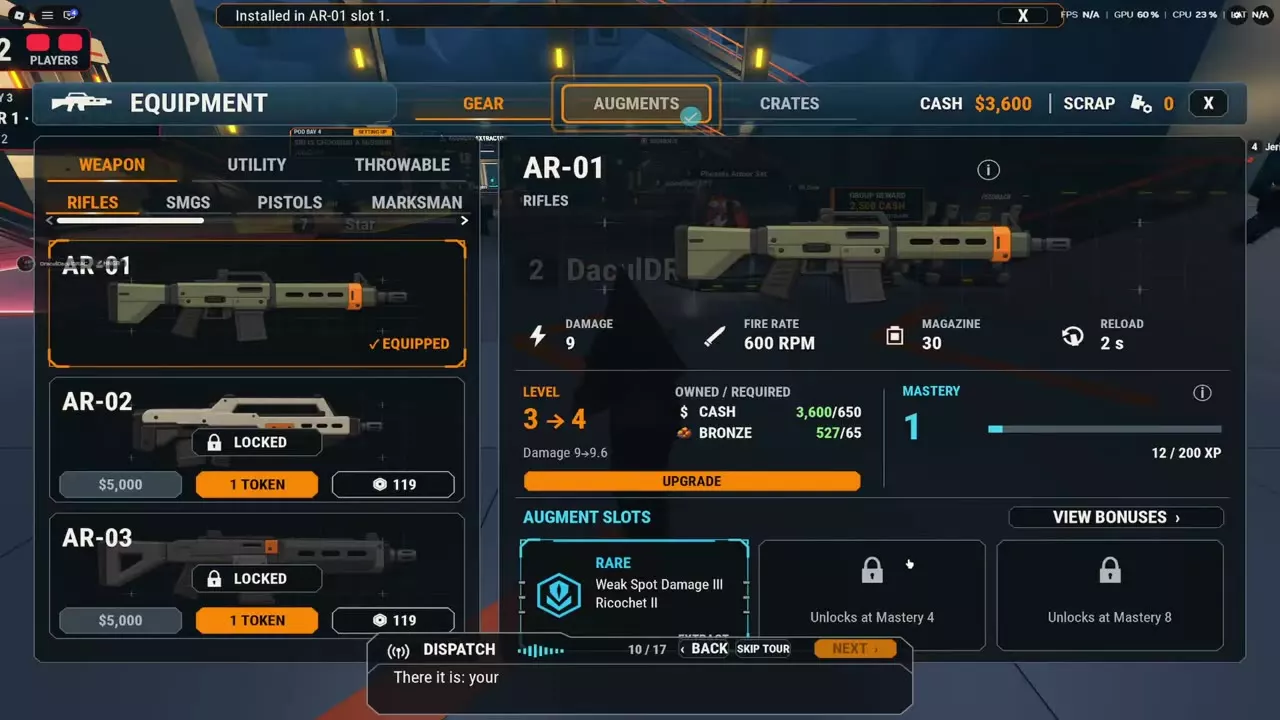
Install and compare replacements
- Open Equipment > Augments and select the equipment category.
- Search by trait or sort by rarity to find the Augment you want.
- Select the Augment and choose Install.
- Select the target equipment, then an empty, unlocked slot.
- Choose Install Augment.
- Check the equipment's slot or the Augment's equipped status to confirm its location.
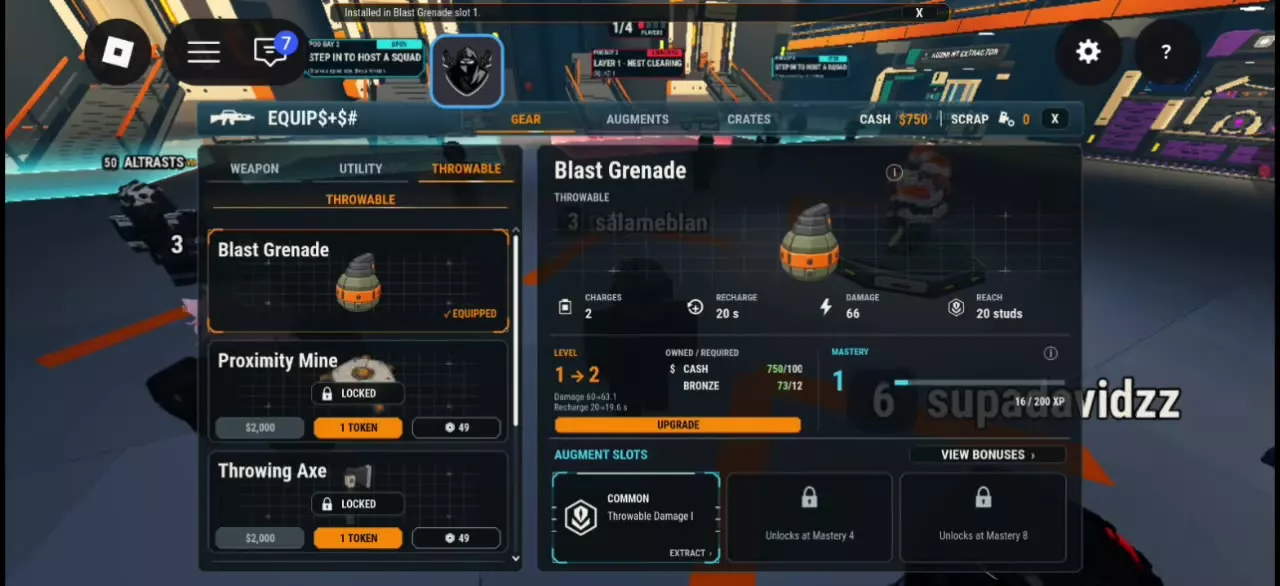
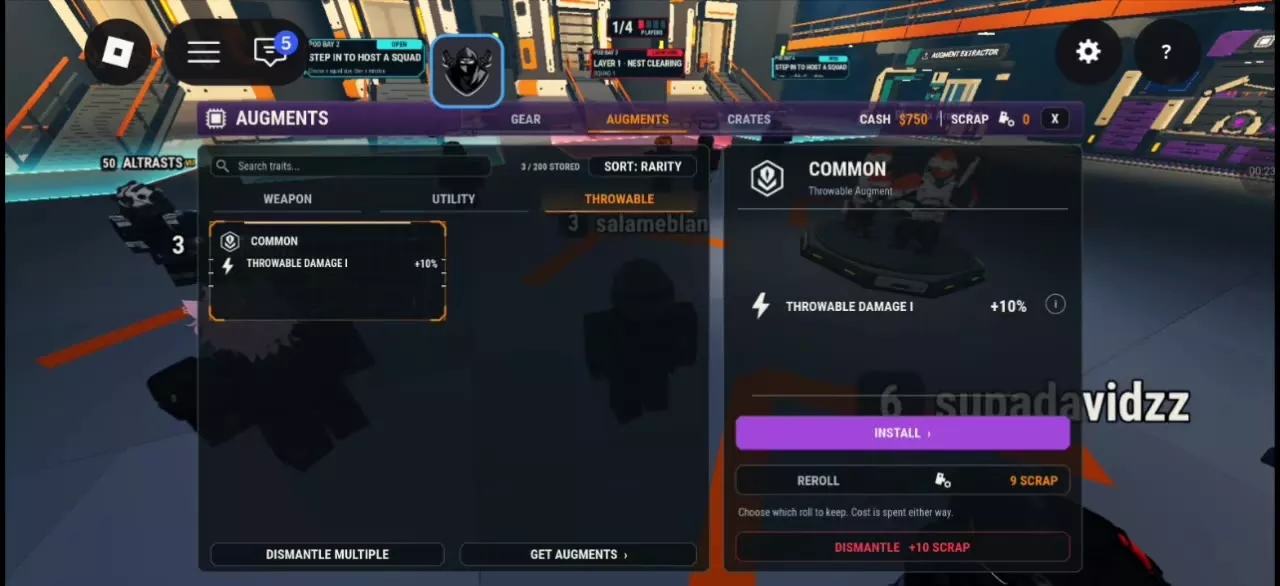
For example, Throwable Damage I fits Blast Grenade's available Slot 1 and adds 10% throwable damage. A Level 1 Blast Grenade with this trait installed displays 66 damage.
For an occupied slot, choose Compare & Replace to compare the installed Augment with the proposed replacement. Compare the whole combination of traits: a Rare Augment containing Weak Spot Damage III and Ricochet II occupies one slot, so replacing it changes the combination in that slot. If you want to move the existing Augment to another item, use extraction.
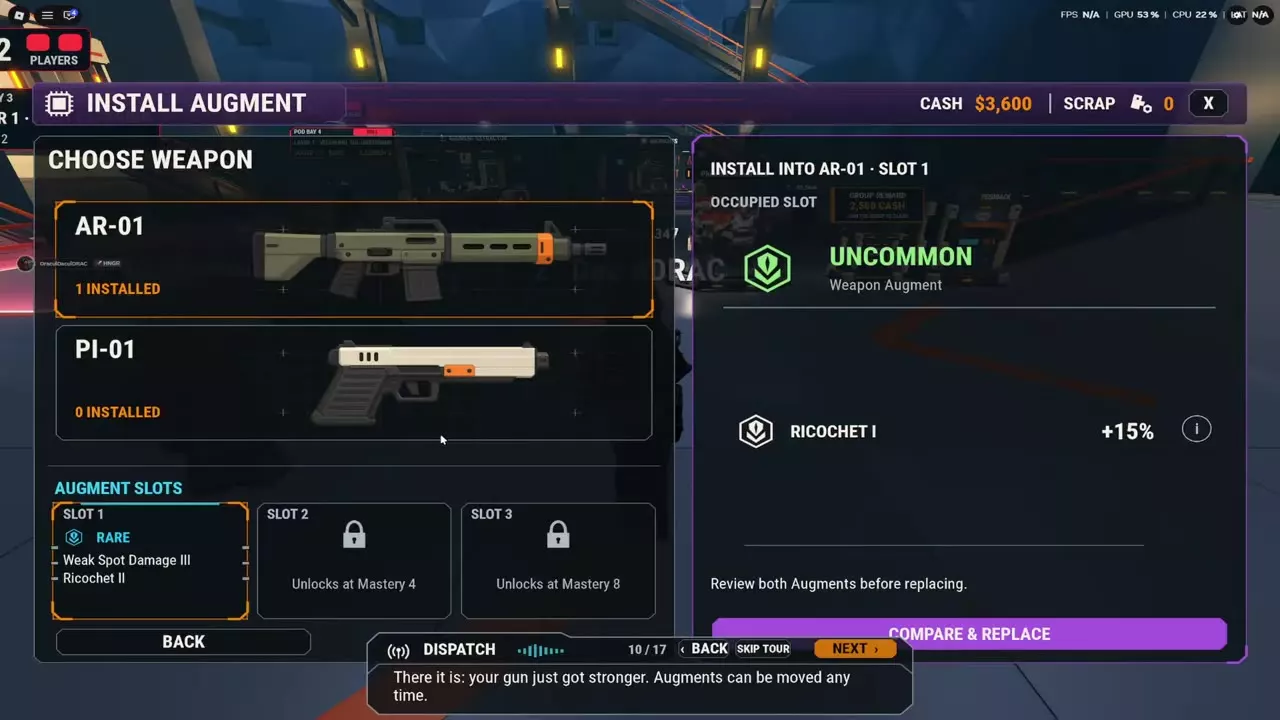
Extract and transfer an Augment
Extracting retrieves an installed Augment for reuse. Common, Uncommon, Rare and Epic Augments are free to extract. Legendary Augments require an Extractor item.
- Open the equipment's details.
- Select Extract beside the installed Augment. Have an Extractor available when removing a Legendary Augment.
- Open Augments and select the retrieved Augment.
- Choose Install, then select another compatible item and an available slot.
- Choose Install Augment and check its equipped status.
The lobby also has an Augment Extractor station for retrieving installed Augments from guns. The station and the Extractor item serve different roles: the station provides an extraction entrance, while the item is required for Legendary extraction.
Use a helpful Common through Epic Augment on your current equipment while saving for a stronger compatible item. Free extraction lets you transfer it later without spending Scrap on a reroll or dismantling it.
Reroll and lock traits
Rerolling spends Scrap and lets you choose which result to keep.
- Open Equipment > Augments and select the Augment.
- Choose Reroll.
- Lock the traits you want to preserve, up to a maximum of two.
- Read the displayed Scrap fee after choosing your locks, then pay for the reroll.
- Compare the results and keep the one you prefer.
The fee is spent either way. Keeping the previous result does not refund Scrap. Locking traits increases the fee.
Lock a trait when it already provides an effect you want to retain while changing the remaining traits. If the current combination already serves your loadout, keep using it and save the Scrap.
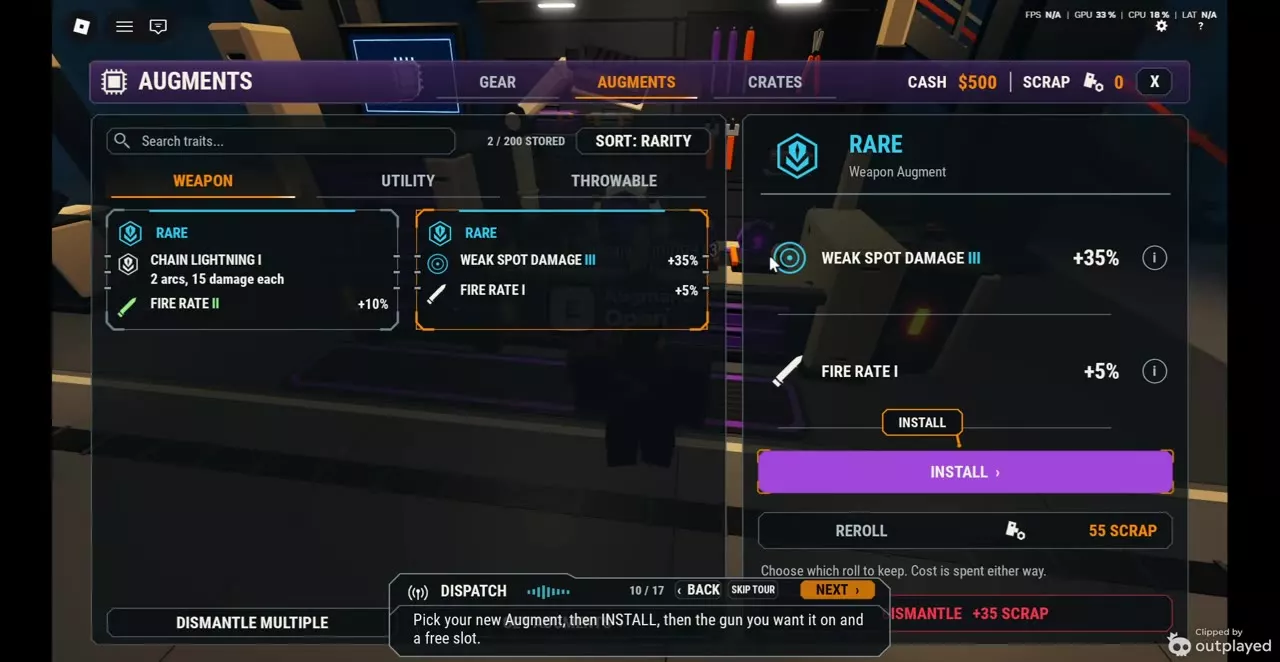
Dismantle Augments for Scrap
Dismantle unwanted Augments to obtain Scrap, then spend that Scrap on rerolls.
- Open Equipment > Augments and select the category.
- Select an Augment and read its Dismantle payout.
- Choose Dismantle to exchange it for the displayed Scrap amount. Use Dismantle Multiple when dismantling several Augments.
Reroll fees and dismantle returns
These amounts apply to the specific Augment configurations below. Use the selected Augment's displayed amounts when deciding what to spend or dismantle.
| Rarity | Category | Trait | Second trait | Reroll fee | Dismantle return |
|---|---|---|---|---|---|
| Common | Throwable | Throwable Damage I | — | 9 Scrap | 10 Scrap |
| Uncommon | Weapon | Ricochet I | — | 30 Scrap | 20 Scrap |
| Rare | Weapon | Weak Spot Damage III | Ricochet II | 55 Scrap | 35 Scrap |
| Rare | Weapon | Weak Spot Damage III | Fire Rate I | 55 Scrap | 35 Scrap |
Keep Augments you intend to install or transfer, and dismantle combinations you no longer need to fund rerolls on useful ones. Compare both amounts before deciding: the Uncommon Ricochet I configuration returns 20 Scrap when dismantled, while its reroll costs 30 Scrap.
VIP grants 50% more Scrap. For the other resources used to buy and improve equipment, see Cash, Equipment Tokens and Scrap.
Trait effects and slot progression
- Augment traits explains effects, trait levels and equipment-specific compatibility.
- Augment Crates and Legendary Guarantee covers obtaining Augments, crate categories, free openings and guarantee progress.
- Equipment upgrades, Mastery and Augment slots explains how to earn Mastery and unlock additional slots.