
Into The Hive Lobby Guide: Depot Tour, Firing Range and Group Reward
Last updated:
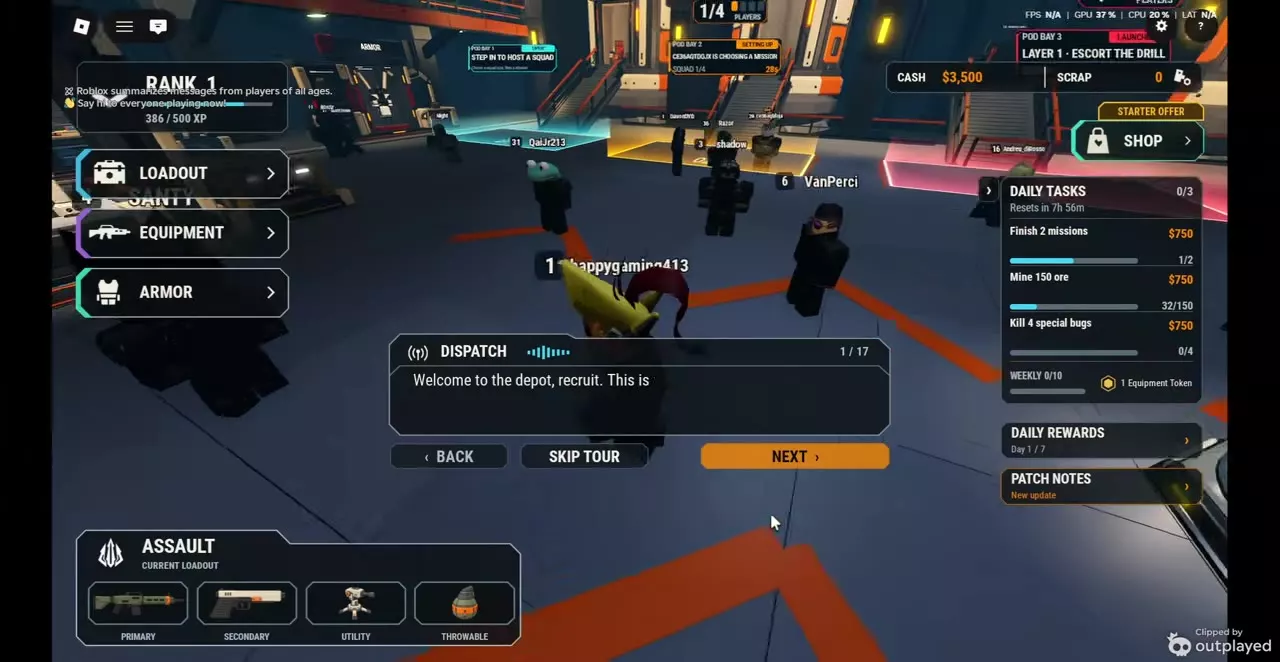
The depot is where you prepare for an expedition in Into The Hive.
Configure your loadout and equipment at the depot, try locked weapons and gear at either firing range, and join To The Earth's Core to claim a one-time reward of 2,500 Cash.
Depot stations
| Station | Entry | Use |
|---|---|---|
| Loadout | Left-side menu | Choose class and equipment |
| Equipment: Gear | Equipment > Gear | Inspect, unlock and upgrade gear |
| Equipment: Crates | Equipment > Crates | Obtain Augments |
| Equipment: Augments | Equipment > Augments | Install and manage Augments |
| Augment Extractor | Extractor station | Retrieve installed Augments |
| Armor | Station or left-side menu | Roll and select armor |
| Daily Tasks | Daily Tasks panel | Check objectives and rewards |
| Daily Rewards | Daily Rewards panel | Claim login rewards |
| Group Reward | Group Reward stand | Claim the group reward |
| Pod Bay | Step in to a bay | Host or join a squad |
| Firing ranges | Two lobby ranges | Test equipment and targets |
Loadout includes primary and secondary weapons, utility, a throwable, and a Demolition tool. Gear upgrades use Cash and the required ore collected on missions. At Pod Bay, an empty area marked Step in lets you host; occupied bays show squad and mission details.
Take the lobby tour
After the tutorial, select TAKE THE TOUR in the Lobby Tour prompt. The Dispatch tour takes about three minutes and has 17 pages. Select NEXT to advance, BACK to revisit a page, or SKIP TOUR to leave. Select Finish on the final page.
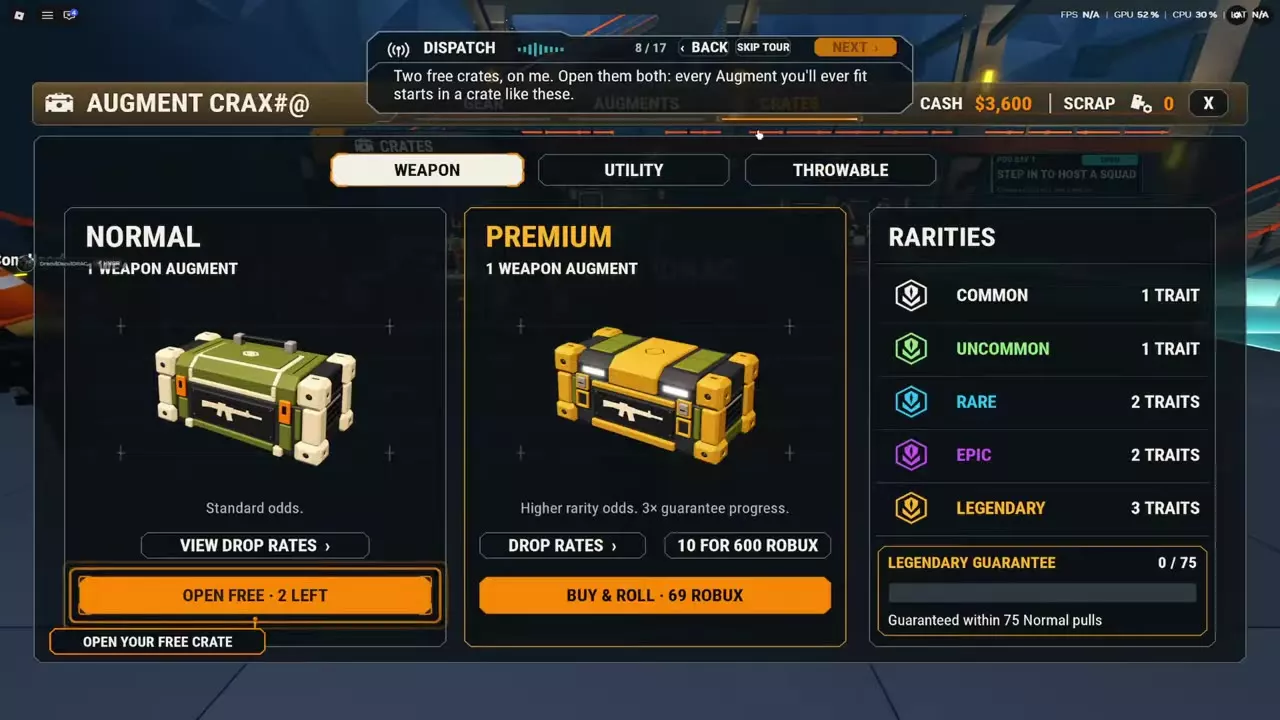
At the free-crate step:
- Open Equipment > Crates > Weapon.
- Select Open Free on the Normal Weapon Crate.
- Select Open Another for the second free opening, then Confirm. Both Weapon Augments enter your inventory.
- Open Equipment > Augments, select an Augment, and choose Install. Select compatible equipment and an available slot.
The two free openings also add two points to the Weapon Legendary Guarantee.
Try locked equipment in the firing range
Go to either of the two lobby firing ranges and choose a weapon, utility item, or throwable to try. You can test equipment you have not unlocked against paper targets or live bugs from any layer and difficulty. Compare the equipment against your preferred targets before spending resources to unlock it.
Claim the group reward
- Approach the Group Reward stand in the lobby and press E.
- Select Join Group & Claim and join To The Earth's Core in the community prompt.
- Return to the game and collect the reward. A successful claim displays a receipt for 2,500 Cash and adds it to your balance.
Each account can claim the reward once.
Prepare before entering Pod Bay
Finish choosing and upgrading your equipment, installing Augments, selecting armor, and visiting the Shop before you queue. Loadout, Equipment, Armor, and Shop are locked while you are in a queue.