
Into The Hive ultimates and Air Walk
Last updated:
Assault, Scout and Engineer each bring a different drone ultimate: autonomous blades, piercing lasers or explosive homing missiles. Scout also gains temporary Air Walk for airborne shooting.
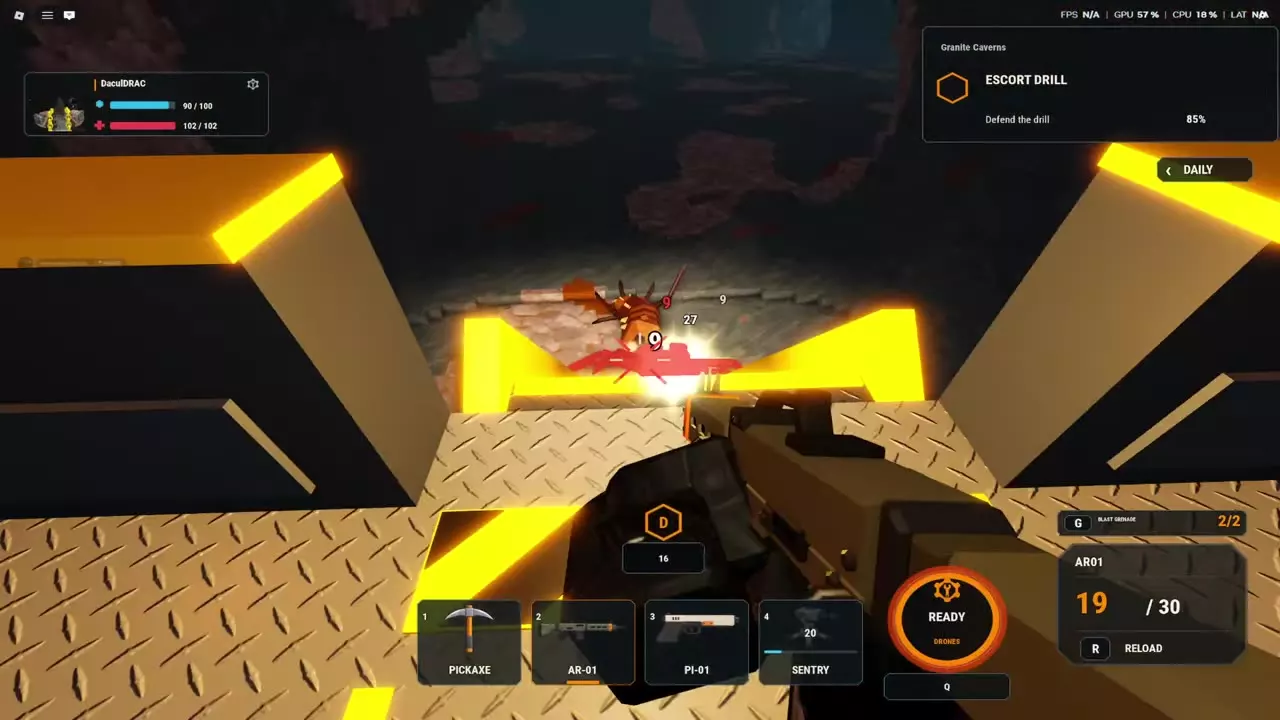
Let your ultimate charge through time and combat, then press Q when its indicator reads READY. Keep attacking during ACTIVE; afterward, the meter returns to CHARGE at 0%. Choose Blade Drones for nearby or concentrated targets, Laser Drones for lined-up enemies and Air Walk, or Missile Drones for clusters and nests.
Class ultimates
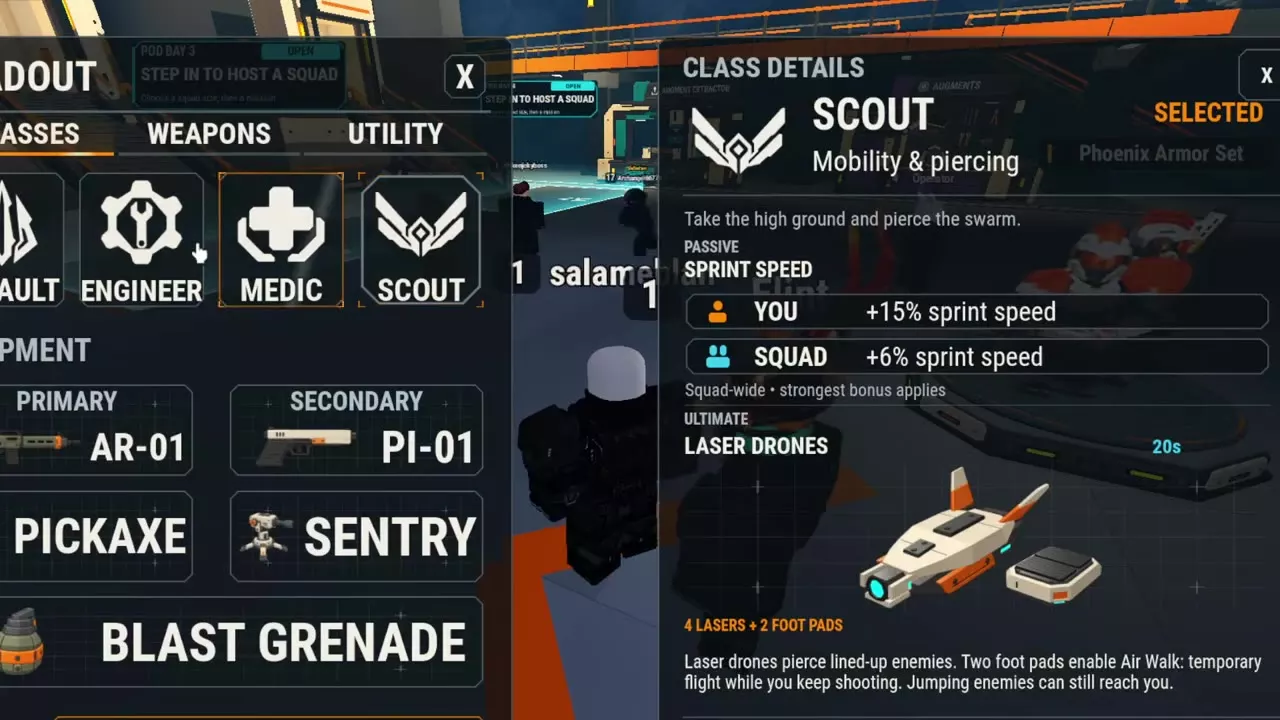
Your class determines your drone ultimate: Assault uses Blade Drones, Scout uses Laser Drones, and Engineer uses Missile Drones. All three operate alongside your weapon attacks, so keep shooting while the ability is active.
Drone directory
Compare each ultimate's class and attack type below. Expand a drone's name for its configuration, targeting behavior and additional effects.
Compare class-specific drone attacks and effects.
3 objects
|
|
Assault | Autonomous blades | 6 blades |
|---|---|---|---|
|
Assault's ultimate deploys six autonomous blades. They attack nearby enemies separately or concentrate on one target while the player continues fighting.
TipsKeep fighting while the six autonomous blades attack nearby enemies or concentrate on a single target. |
|||
|
|
Scout | Piercing lasers | — |
|
Scout's ultimate combines four piercing lasers with two foot pads. The foot pads provide temporary Air Walk while the player shoots.
TipsUse piercing lasers against enemies lined up together. Keep watching jumping bugs while Air Walk holds you airborne. |
|||
|
|
Engineer | Explosive homing missiles | — |
|
Engineer's ultimate deploys two heavy drones that fire homing missiles. Their small-area explosions attack clustered enemies and damage nests.
TipsUse Missile Drones for clustered enemies and nests while continuing to attack with your weapon. |
|||
Charge and activate
- Let the ultimate charge over time and through combat until the Q indicator reads READY.
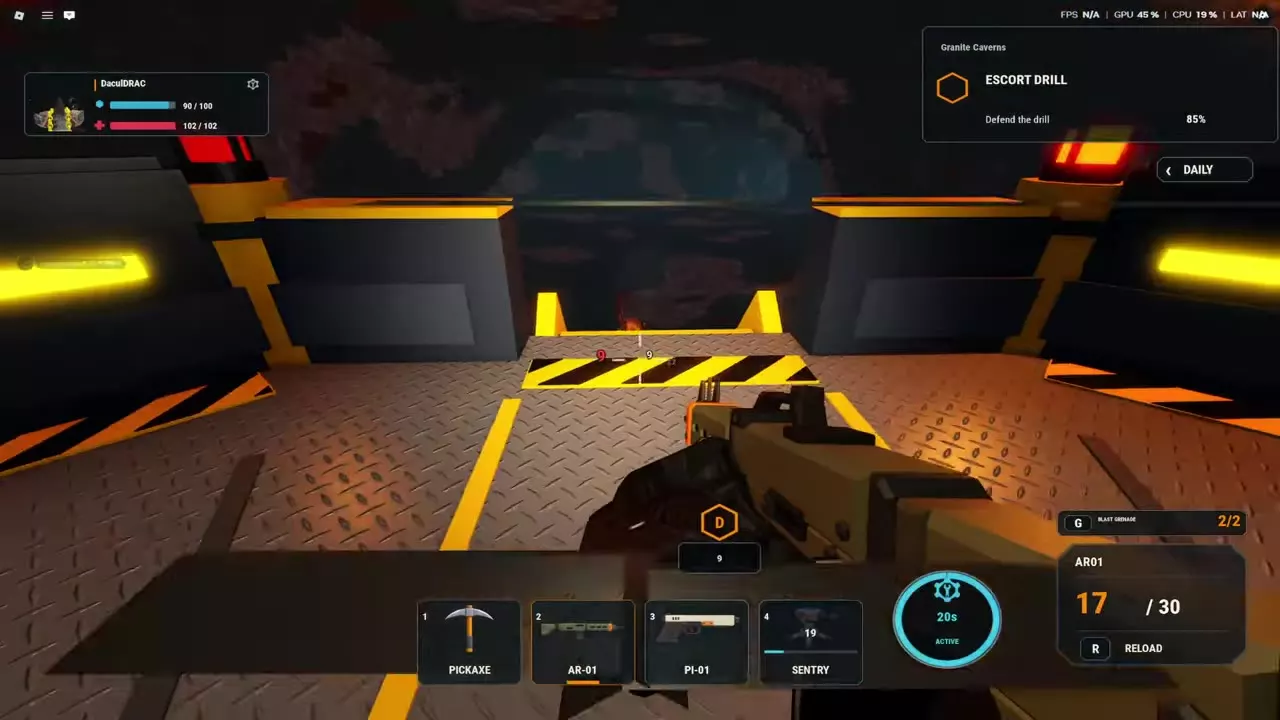
- Press Q to activate it. The indicator changes to ACTIVE and displays a countdown.
- Continue attacking with your weapons while the drones operate.
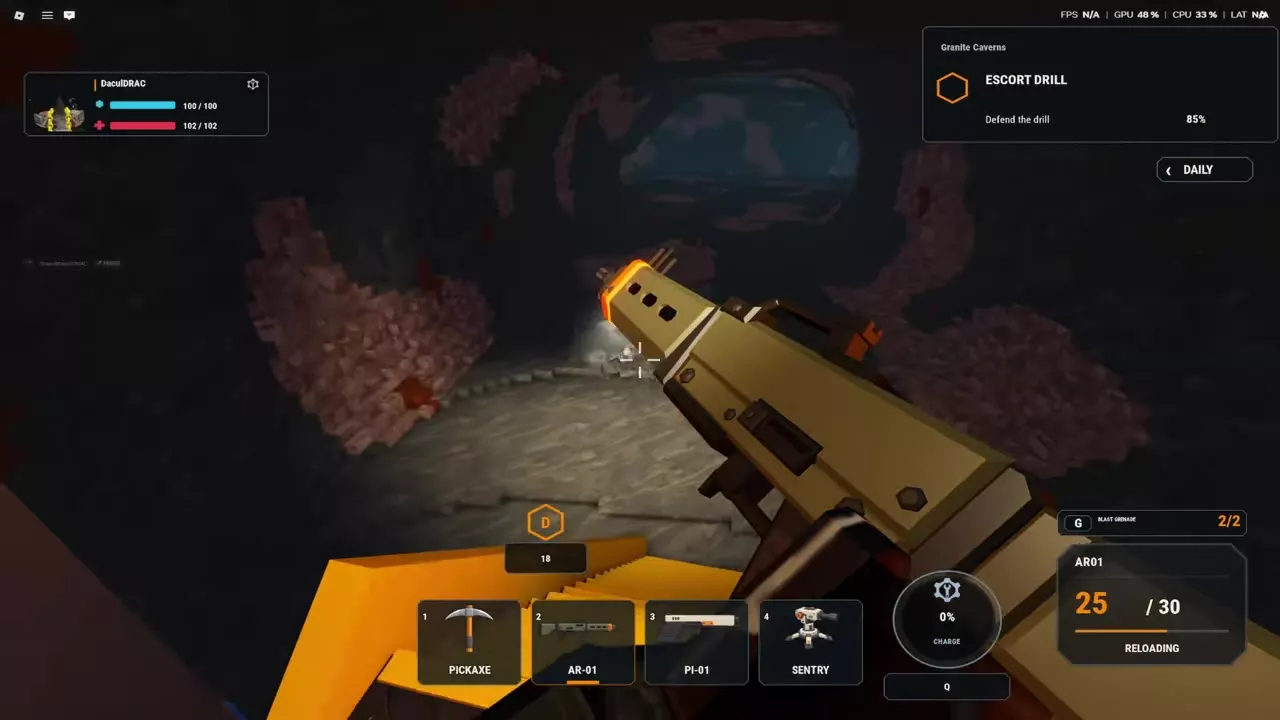
- When the active period ends, the indicator returns to CHARGE at 0% and begins filling again.
In an Escort the Drill activation example, ACTIVE lasted approximately 20 seconds before returning to CHARGE. Use the countdown to track the remaining active time.
The November 14, 2026 update made ultimate charging 20% slower than before the update.
Target patterns and Air Walk
Match the attack to the enemies
- Blade Drones: Assault's six autonomous blades can spread out against nearby enemies or concentrate on a single target. Choose them when you want attacks that cover scattered nearby threats as well as an individual target.
- Laser Drones: Scout's four lasers pierce enemies lined up together. Favor them when enemies approach in a line, allowing piercing attacks to reach multiple targets along that line.
- Missile Drones: Engineer's two heavy drones fire homing missiles with small-area explosions. Choose them for clustered enemies and nest attacks; the explosions also damage nests.
Fight during Air Walk
Activate Scout's charged Laser Drones ultimate to gain temporary Air Walk from its two foot pads. Keep shooting while airborne and watch for jumping enemies: they can still reach you.
Being grabbed during Air Walk no longer disables jumping following the November 14, 2026 fix.
Class and build choices
- Classes and squad passives: compare personal bonuses, squad bonuses and class selection.
- Boss loadouts: combine your ultimate with weapons, support equipment and armor for boss encounters.
- Controls and settings: find the other combat controls and configure your camera and hotbar.